At a glance
| Input | Action | Output | Limit |
|---|---|---|---|
| Requirement, document, code reference, test or other item | Declare trace node with type, title, external reference and reason | Candidate node | Not used for tracing until another administrator approves it |
| Two approved nodes | Declare trace link with a relation and an evidence reference | Candidate link | The evidence reference is an ID: letters, digits and . _ : / - only |
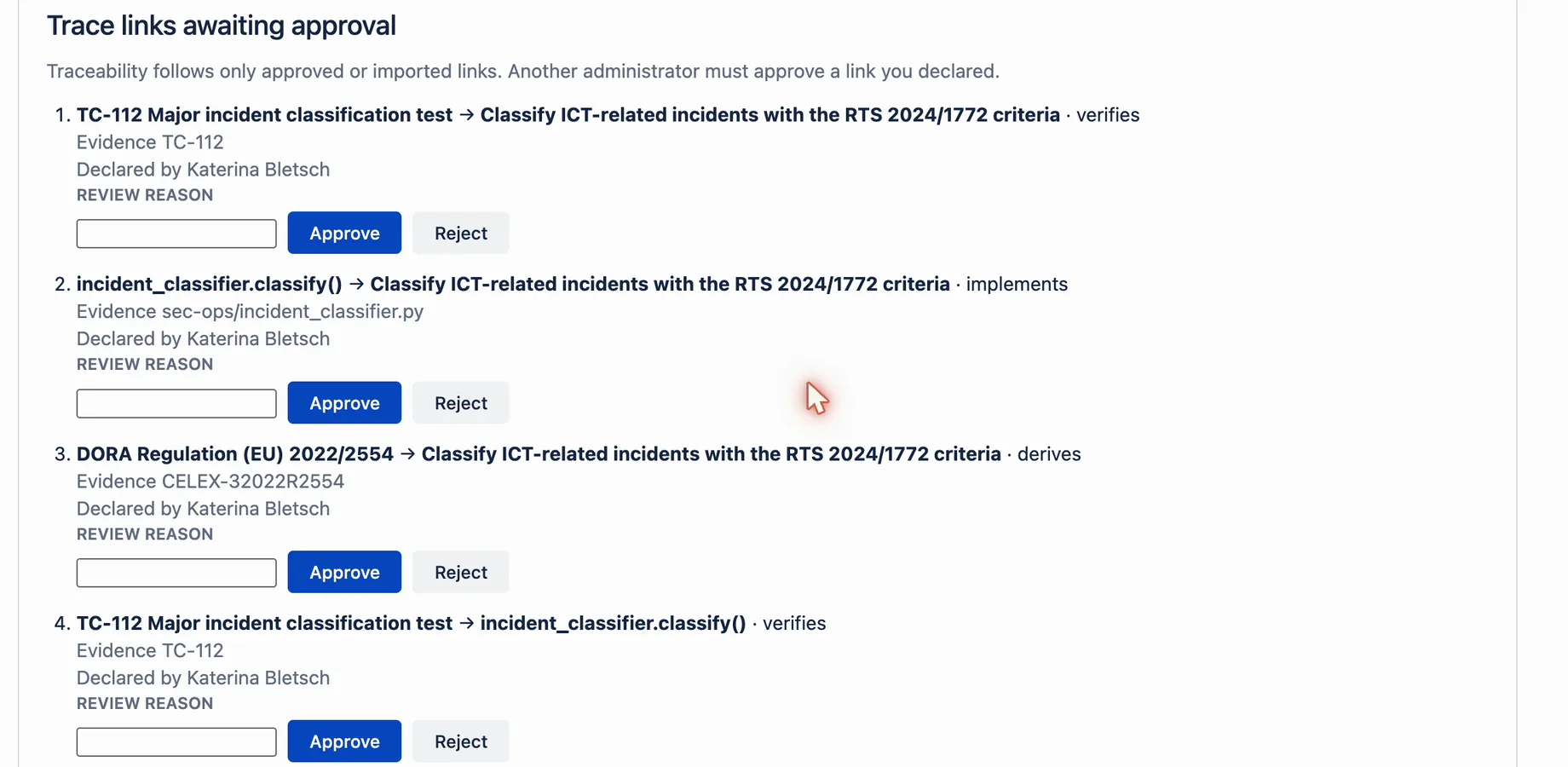
| Candidate node or link | Enter a Review reason, then Approve or Reject | Approved or rejected record | The person who declared it cannot approve it |
| Approved start node | Show trace graph, then Forward impact or Reverse provenance | Retained hops with evidence references | A start node that is not approved returns GRAPH_START_NOT_APPROVED |
| Approved start node | Download trace chain | JSON file with the forward and reverse chain | Bounded; truncated neighbours are reported as blockers |
How it works
- Open Apps → Compliance Glossary → Terminology Baseline and scroll to Enterprise evidence workspace. The trace forms appear after the first enterprise freeze.
- In Declare trace node, choose a Node type. For a requirement, optionally choose a Requirement level: business, system or element.
- Enter Title, External reference or URL and Reason, then select Declare candidate node. Repeat for every item in the chain.
- Ask another administrator to open Trace nodes awaiting approval, enter a Review reason, and select Approve.
- In Declare trace link, pick the From node and To node, choose a Relation, enter an Evidence reference and a Reason, then select Declare candidate link.
- Another administrator approves the link in Trace links awaiting approval with a reason.
- Under Trace graph, choose the Start node, select Show trace graph, and switch between Forward impact and Reverse provenance.
- Select Download trace chain to keep a JSON copy of the chain for review or an audit request.
Node types and relations
Node types: regulation, business_decision, requirement, term, document, code_reference, test, deviation, release_gate, approval_evidence.
Relations: derives, authorizes, governs, uses_term, implements, verifies, deviates_from, used_by, implemented_by, verified_by, deviation_evidence, gates, attested_by. The server rejects a relation that does not fit the two node types.
To see what a frozen item affects, select Show impact on its row in Frozen meanings and revisions. The Impact of panel lists affected artifacts with their baseline and current revisions; Load more impact fetches the next page.
Example
A medical-device team declares a business requirement, a system requirement, the design document page and a test case as four nodes. It links them with derives, implements and verifies. A quality engineer approves the nodes and links. Starting from the business requirement, Forward impact shows the document and the test. The team downloads the trace chain for the design review.
What this does not mean
Approval controls which links count as evidence. It does not prove that a relationship is factually correct. The app does not create links from code or tests automatically. The Git connector reports terminology only, not trace links. Candidate and rejected records never appear in the graph or in a trace chain.
Related questions
Next step
Declare one short chain, from requirement to test, and have it approved before modelling a whole product.
View on Atlassian Marketplace