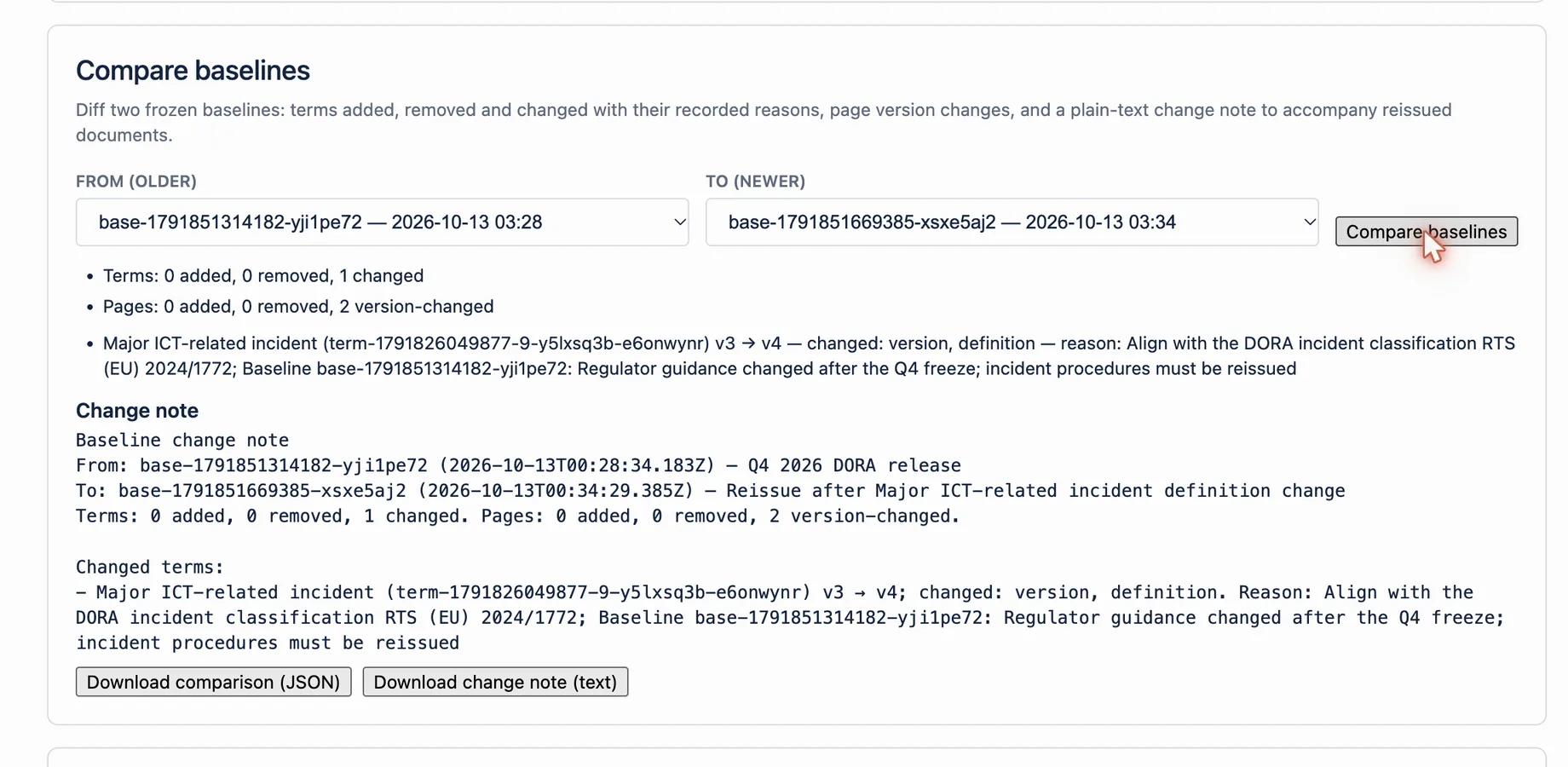
At a glance
| Input | Action | Output | Limit |
|---|---|---|---|
| Two completed baselines | Compare baselines | Terms added, removed, changed; pages added, removed, version-changed | You need at least two baselines |
| Changed term | Read changed fields and recorded reasons | Old and new version, status and definition | Reasons come from the term's version history |
| Comparison result | Download change note (text) or Download comparison (JSON) | Text summary or full JSON | Lists are bounded; a cut list is reported as a warning |
| One completed baseline | Download baseline package (JSON) or (CSV) | Frozen terms, pages, coverage and signoffs | Download opens when the freeze is complete |
How it works
- Open Apps → Compliance Glossary → Terminology Baseline.
- Create a baseline for each release, with a reason in Reason for this baseline.
- Under the comparison, choose From (older) and To (newer). By default the previous and the latest baselines are selected.
- Select Compare baselines.
- Review added, removed and changed terms and pages, and the reasons recorded for each change.
- Select Download change note (text) for reviewers, or Download comparison (JSON) for a full record.
- To hand over one release, select Download baseline package (JSON) or Download baseline package (CSV).
Example
Between Release 1 and Release 2, the change note shows one added term, one removed term and two changed terms. Alpha moved from v2 to v3, and the note quotes its recorded reason: Obsolete per SOP-12 rev C. Three pages changed version. The team attaches the change note to the release review.
What this does not mean
A comparison describes differences between two frozen records. It does not decide whether a change is acceptable or approve the release. Baselines created before frozen term meanings were stored fall back to the term version history, with a warning.
Related questions
Next step
Create a baseline at every release, then compare it with the previous one before sign-off.
View on Atlassian Marketplace